 zojro
zojro
CalHue — Colors & Backgrounds for Google Calendar
CalHue is a Chrome extension that adds custom event colors, coordinated palettes and your own background image to Google Calendar on the web.
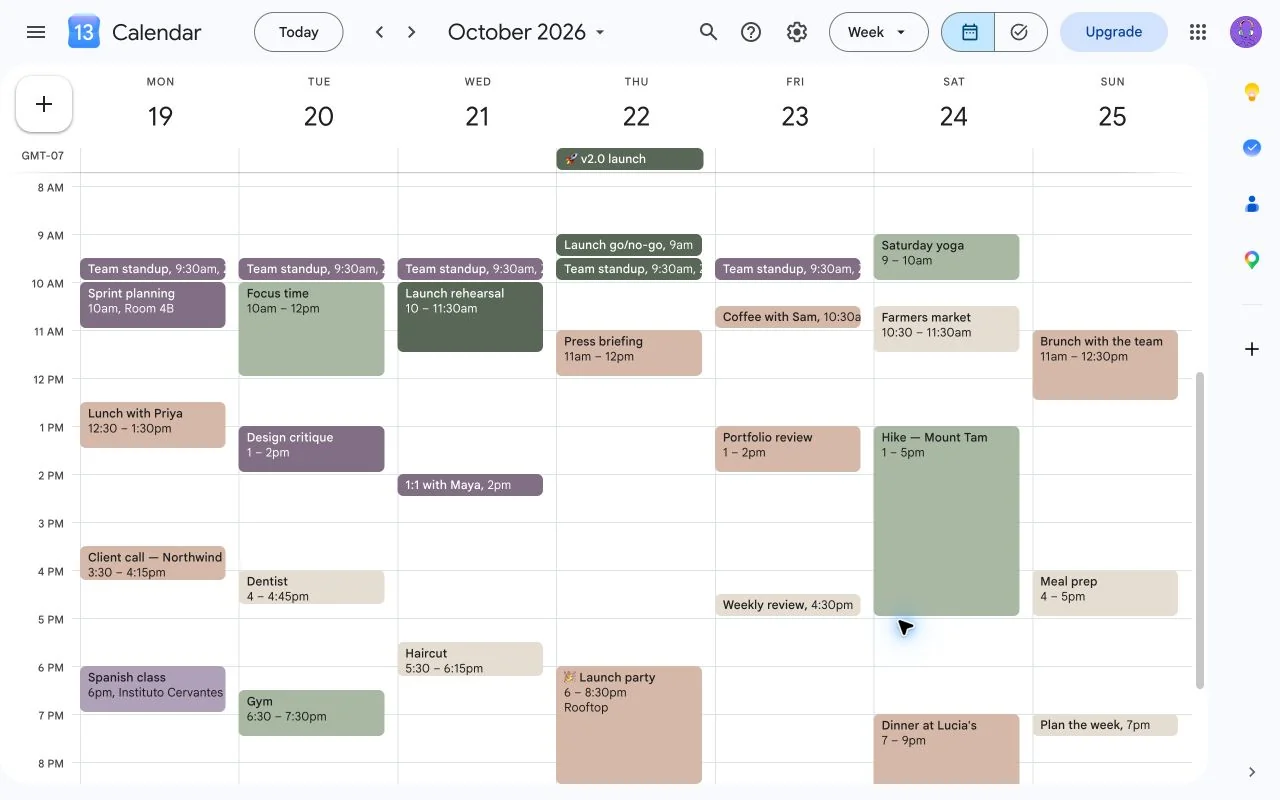
Any color for any event
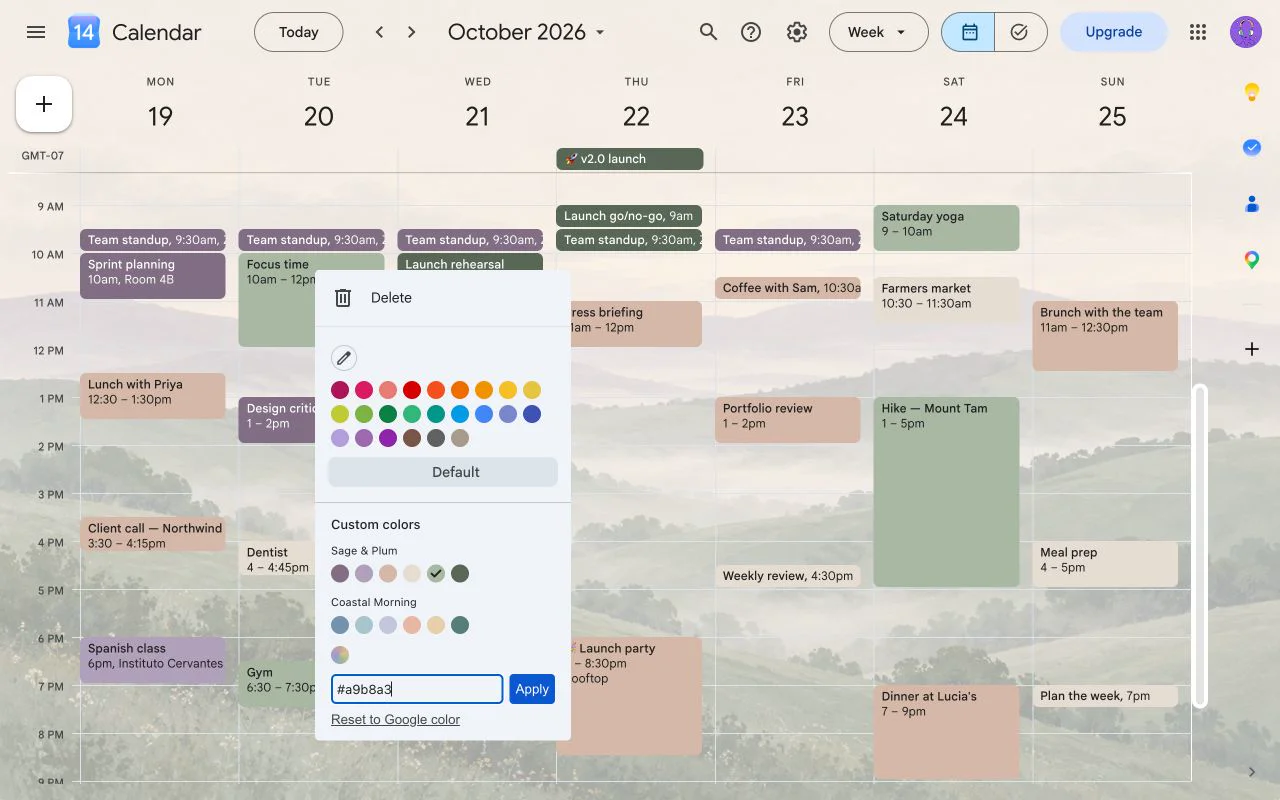
Right-click an event in Google Calendar. Below Google's own colors, CalHue adds your palettes, a color picker and a field for an exact HEX code.
- Recurring events: apply a color to one occurrence or to the whole series. Cancel, and nothing changes.
- Edits in Google Calendar: when you later change a recurring series, such as moving it to another time or editing this and following events, CalHue carries your colors over.
- Reset: choose Reset to Google color in the same menu to return to the original color.
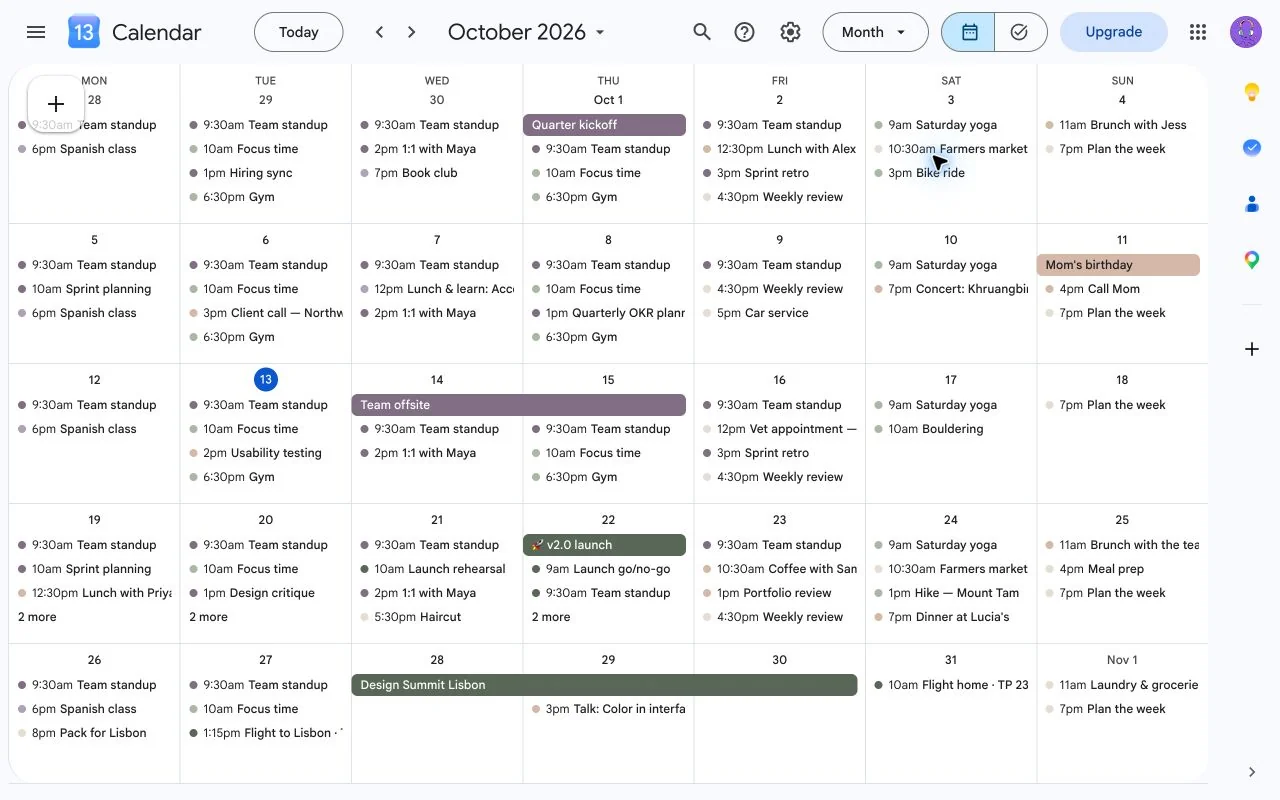
- Every view: colors show in day, week, month and schedule views.
Palettes
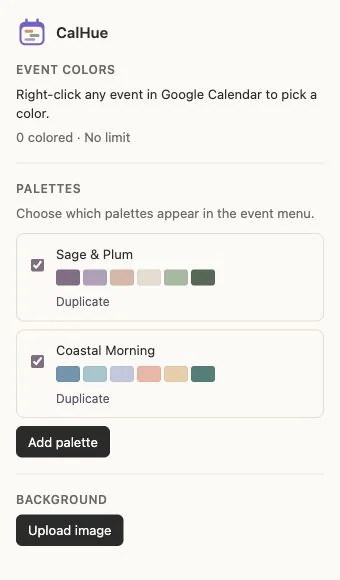
CalHue starts with two palettes, Sage & Plum and Coastal Morning. You can add your own, and duplicate a preset to adjust it.
- Each palette holds up to six colors.
- Name, edit, duplicate and delete your palettes in the extension popup.
- Checkboxes choose which palettes appear in the event menu.
- Colors you enter by HEX are remembered in My colors while it has room.
- Changing, hiding or deleting a palette never recolors events you have already colored.
Your own background
Choose an image from your device in the extension popup. CalHue paints it behind your calendar, with a veil and an optional blur to keep events readable. Replace or remove it whenever you like.
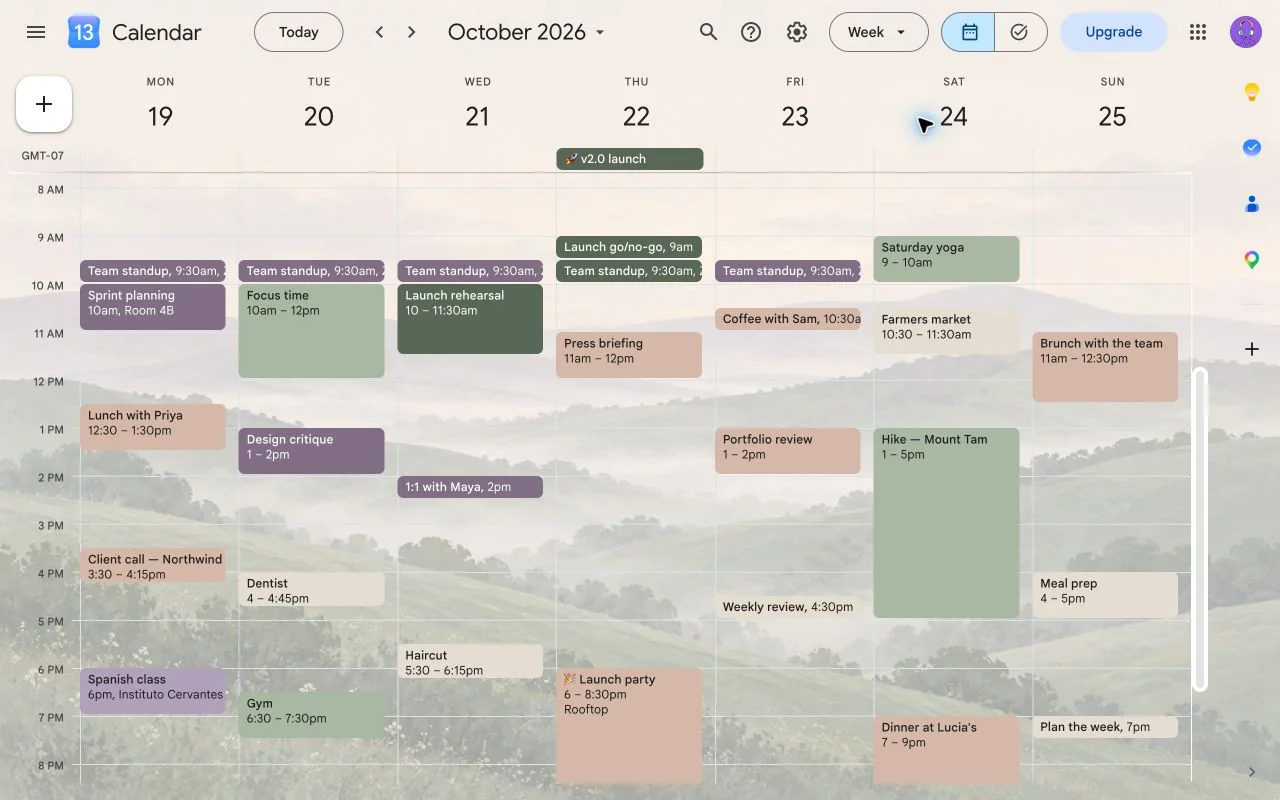
The hillside is an example of a user-selected image. CalHue does not include a wallpaper library.
Get started
- Install CalHue in Chrome, then open or refresh Google Calendar on the web.
- Right-click an event and choose a color.
- Click the CalHue icon in the Chrome toolbar to manage palettes or add a background.
No CalHue account is needed. A short tip in Calendar shows where to start the first time.
Pricing
CalHue is free to use, with an optional one-time upgrade.
Free
- Event colors from the two preset palettes and one custom palette of your own (up to six colors)
- Recurring-event support, every calendar view, and your own background image
CalHue Pro — US$9.99, one-time (coming soon)
- Unlimited custom palettes
- Pick any color directly on an event with the color picker or an exact HEX code
- One purchase, no subscription. A license key works in up to 3 Chrome profiles.
Early supporters keep everything free, forever. If you installed CalHue before Pro became available, every Pro feature is already unlocked for you, at no cost, for as long as CalHue exists. If you reinstall or move to a new computer, email hi@zojro.com and we'll send you a free license key.
Payments are processed by Creem, our Merchant of Record, which handles checkout, taxes and receipts. Refunds: see the Terms.
Good to know
- CalHue works with Google Calendar on the web in Chrome. It does not change the Google Calendar mobile apps.
- Your colors and background are visible only to you, in the Chrome profile where CalHue is installed. Other people on the event, and your other browsers and devices, see Google's colors.
- CalHue is available in English, Simplified Chinese, Traditional Chinese, Japanese, Korean, Spanish, French, German, Portuguese and Russian.
Privacy
Your colors, palettes and background are saved in your Chrome profile. CalHue has no account, no ads and no analytics, and it does not send your calendar data or images to us. Read the full privacy policy.
Contact
CalHue is made by zojro. Questions and feedback: hi@zojro.com.
CalHue is an independent extension and is not affiliated with or endorsed by Google. Google Calendar is a trademark of Google LLC.